Review PHP as fast as agents write it.
Jump from a call to its definition, from an interface to its implementations, and from a method to every place that calls it, in a project of 40,000 PHP files, without waiting.
Works with
- VS Code
- Zed
- Drupal
- Symfony

Navigation that keeps going.
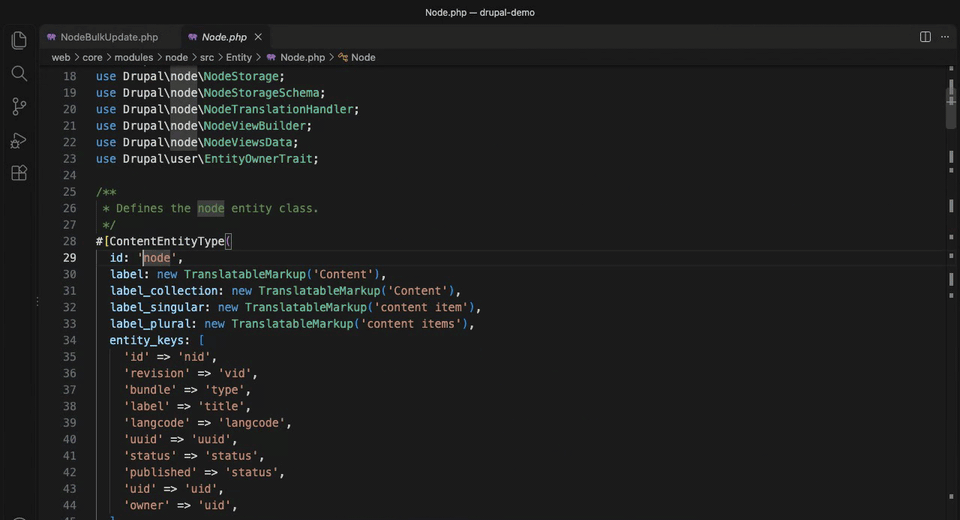
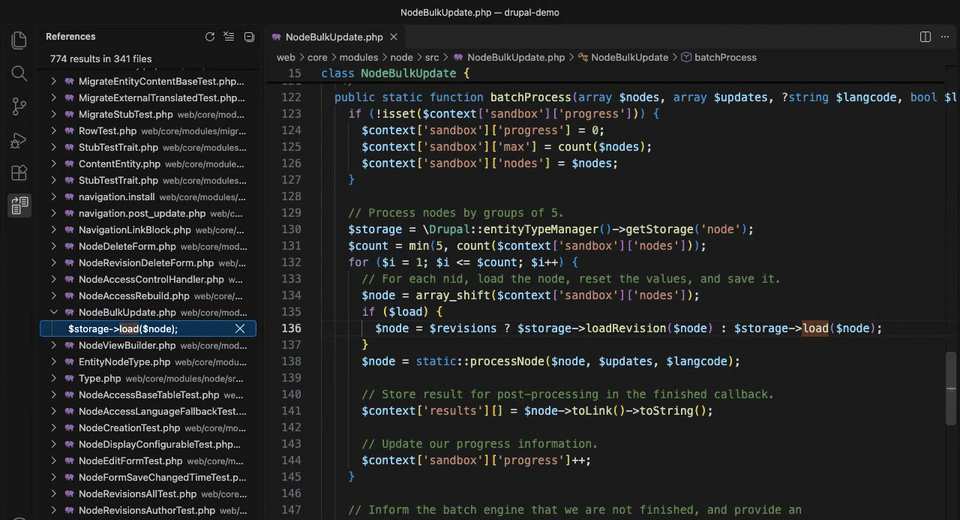
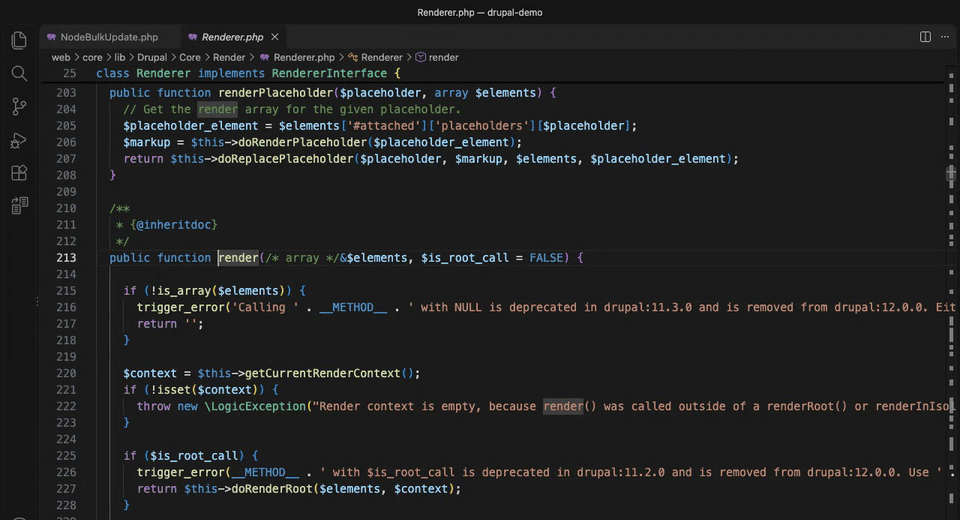
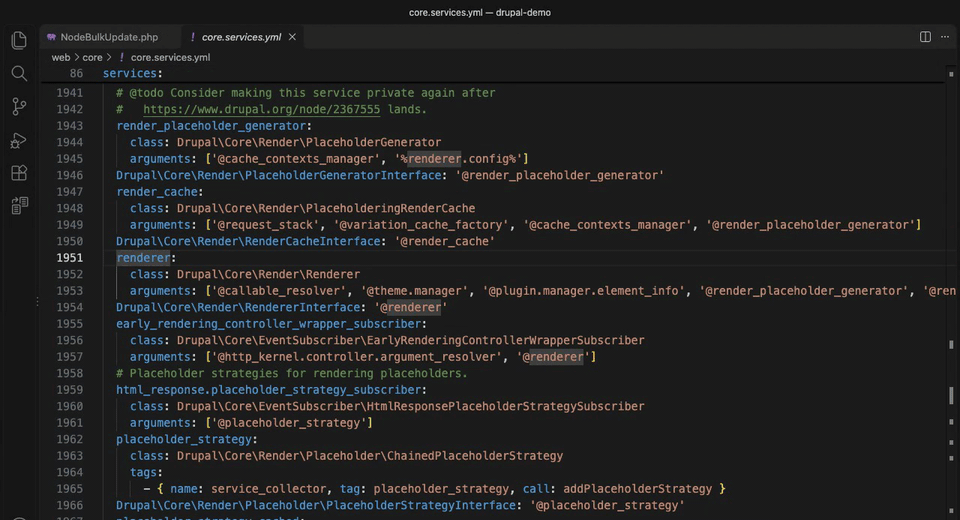
On Drupal code, other extensions lose the type of an object as soon as it leaves the service container. PHPlumb follows it through services, entities, hooks and plugins. Recorded on Drupal core.
getStorage('node') is typed as the storage class of that entity type. Cmd+click on the entity type id opens its declaration.
Knows how your framework connects code.
Drupal and Symfony turn on by themselves when the project’s composer.lock requires them. Each module answers only for its own project, so a Drupal codebase inside a Symfony application works too.
Core PHP
Every navigation request you make while reading code.
- Go to definition through type inference and PHPDoc types
- Find implementations of interfaces, abstract classes and methods
- Find all references, through interfaces and parent methods
- Call hierarchy and type hierarchy
- Hover, workspace symbol search and file outline
- Diagnostics for classes, functions and methods that exist nowhere
Drupal
Code that calls almost everything through services.
- Services typed from every *.services.yml
- Entity storage and entity classes from getStorage() and load()
- Hooks, from implementation to invocation and back
- Plugin ids, annotations and attributes
- Route names and services, routing and links YAML files
- Diagnostics for unknown service ids, routes and plugin ids
Symfony
Routes, templates and messages wired by name.
- Routes from attributes and YAML, also from Twig path() and url()
- Templates in render(), #[Template] and Twig tags
- Messenger, from dispatch() to every handler and back
- Parameters and service configuration in YAML
- Doctrine XML mappings and repositories
- Diagnostics for unknown routes, templates and parameters
Agents edit files outside the editor, often many at once. PHPlumb follows changes on disk, including a branch switch, and caches the index so reopening a project skips files that did not change.

Stop waiting for the indexer
PHPlumb does one thing, navigation, with its own engine written in Rust. Keep your usual PHP extension for completion and refactoring.
Install PHPlumbFast on 40,000 files.
Measured on a Drupal 11 project with 39,417 PHP files, on an Apple M3 Pro. Peak memory stays under 500 MB.
- Index the whole project from scratch
- 2 to 4 s
- Start again from the cache
- 1.7 s
- Find 1,033 references of EntityStorageInterface::load
- 100 to 135 ms
- Search symbols across the workspace
- about 30 ms
See the benchmark history for every run.
Free and open source, under the MIT license.
PHPlumb runs on macOS (Apple silicon) and Linux (x64).
Zed
Installed as a dev extension from the repository.
- Install the PHP and Twig extensions for Zed
- Add the
wasm32-wasip2Rust target - Run
zed: install dev extensiononeditors/zed - The extension downloads the latest release on first start
VS Code
VS Code 1.140 or later.
- Download the
.vsixfor your platform - Install it with
code --install-extension - Open a PHP project and watch indexing in the status bar
- Disable Intelephense and other PHP navigation extensions in that workspace
Source
An engine in Rust and thin editor extensions.
- Install Rust, Node.js and npm
- Build the engine with
cargo build - Run
cargo test --workspace - Package the VS Code extension for your platform

Frequently asked questions
If you can’t find what you’re looking for, ask on GitHub.
Should I keep Intelephense enabled?
In VS Code, disable Intelephense and other PHP navigation extensions in workspaces where you use PHPlumb, or you will see every result twice. In Zed, keep a server such as Phpactor or Intelephense for completion and list it first.
Does PHPlumb autocomplete or refactor code?
No. PHPlumb is for reading code. It has no autocomplete, signature help, rename or other refactorings, formatting, code actions or debugging.
Which platforms does it run on?
macOS on Apple silicon and Linux on x64, in VS Code 1.140 or later and in Zed.
How does it detect Drupal and Symfony?
Drupal support turns on when a
composer.lockin the project folder, or up to three folders below it, requiresdrupal/core. Symfony support looks forsymfony/framework-bundle. A setting forces either on or off.Does it see files that an agent changes outside the editor?
Yes. PHPlumb follows changes on disk, including a branch switch, without you opening the files.
Can I index only part of the workspace?
Set
phplumb.rootto the folder of the PHP project, such assrc/drupal, andphplumb.excludeto glob patterns of paths not to index.
What do the broken reference warnings report?
Classes, functions, methods and constants that exist nowhere, in project code only, so code an agent invented stands out. Dependencies such as vendor are skipped.
I see a warning on code that works. What now?
A warning on working code is a bug. Please open an issue with the code that triggers it.
Is PHPlumb free?
Yes. PHPlumb is open source under the MIT license.